Drop the police report. The case opens itself.
Albatross reads the arrest report — dense forms, bad scans, handwriting — and prefills the whole case: client, charges, docket number, court dates. You review and confirm; it never guesses.
“Start a new case from this arrest report.”
Reads any report
Dense forms, low-quality scans, even handwriting — extracted into structured case fields.
Nothing invented
The extractor never guesses. Anything the report doesn't state stays blank for you to fill.
Dates become deadlines
Arraignments and hearings found in the report land on your calendar as real events.
Start from the report itself
New case? Don't start with an empty form. Drop the charging document — PDF, Word, or a photo of the paper — and Albatross reads it. Digital text is parsed directly; scans and photos are OCR'd, dense form layouts and all.
Prefer to type it in? The manual form is one click away, and the same form serves both paths.
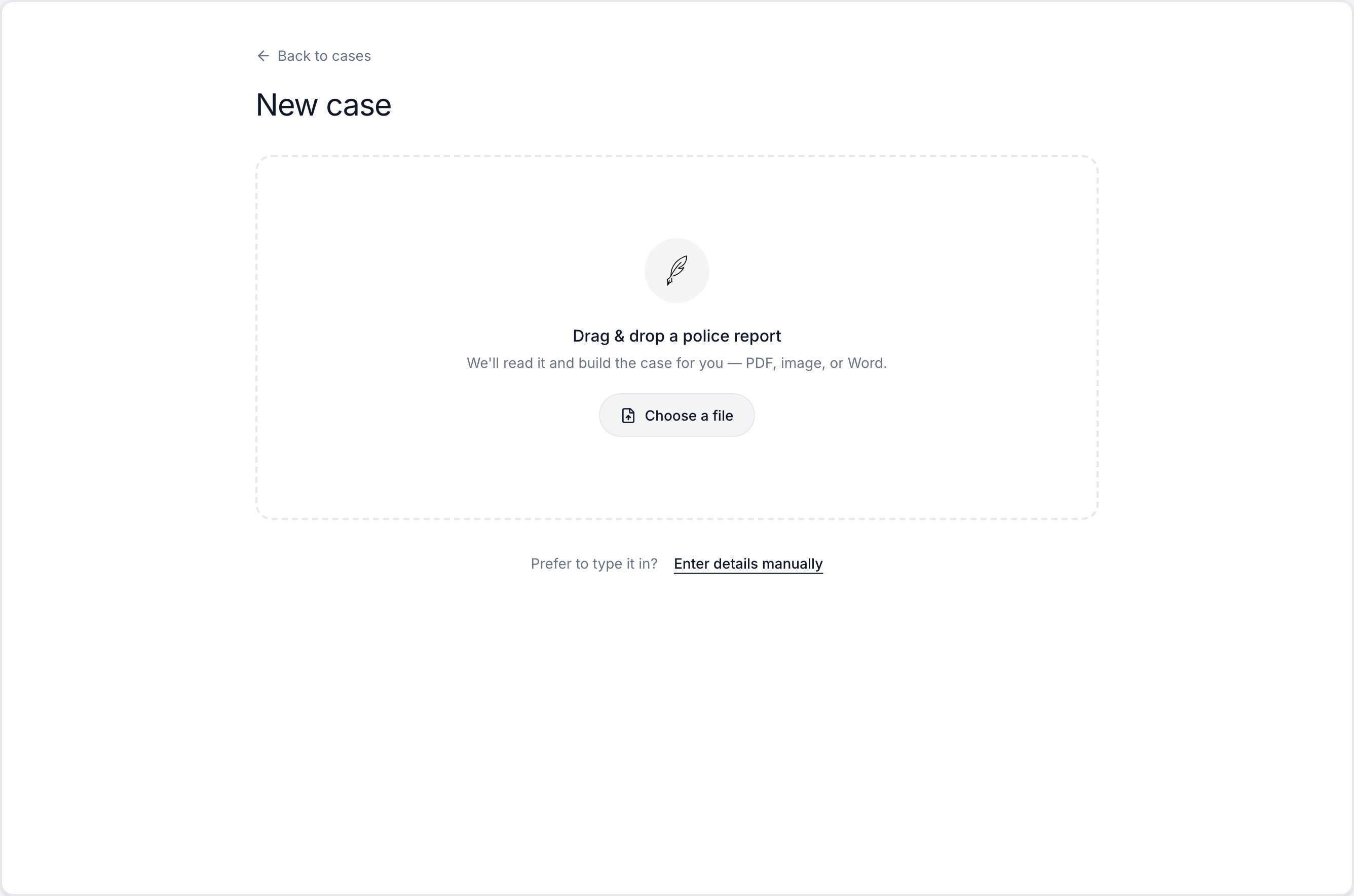
Review everything before anything is saved
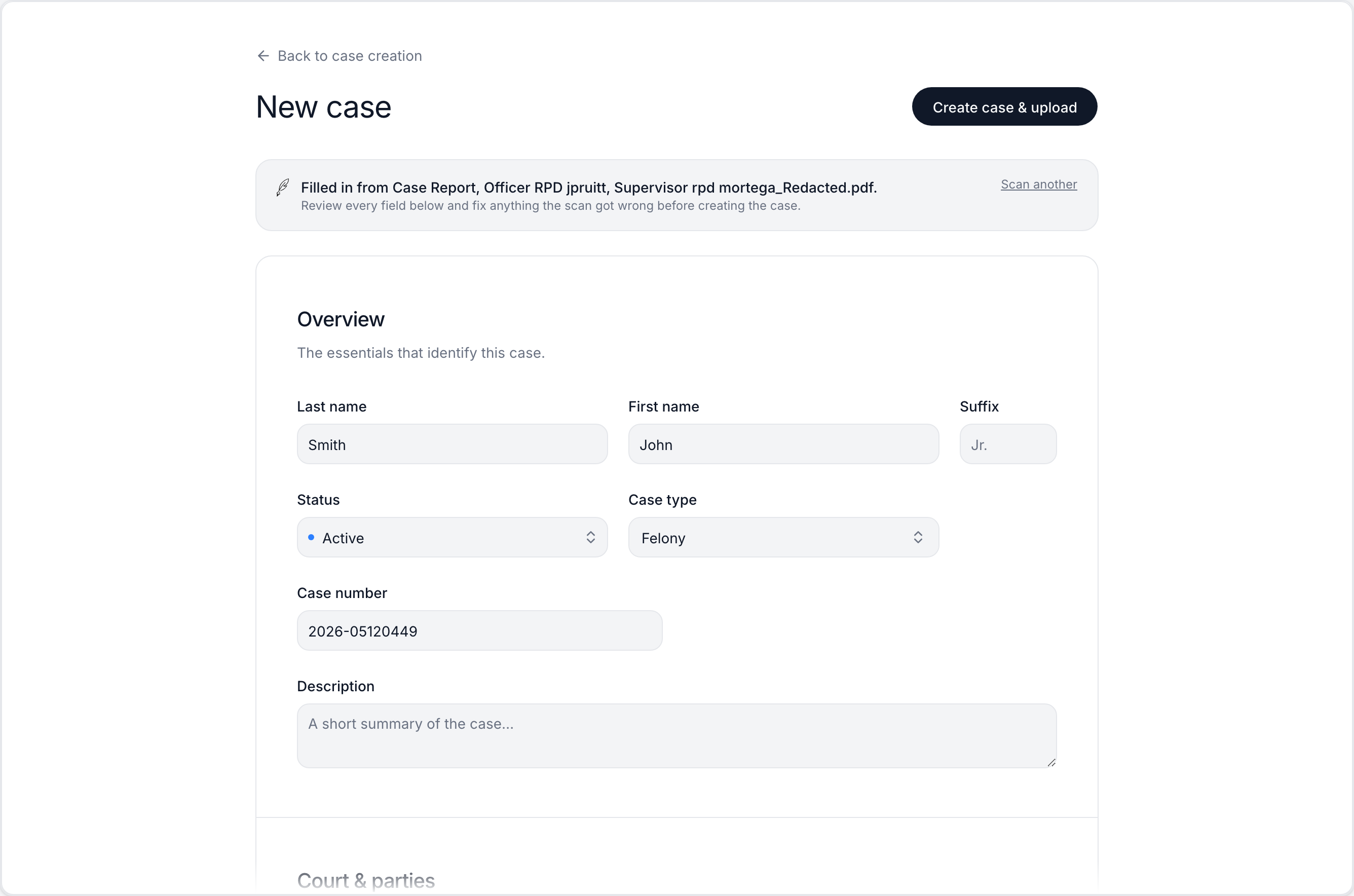
The scan fills the form — it doesn't file it. Client name, case type, docket number, court, judge, prosecutor, county: every extracted value lands in an editable field under a banner that tells you exactly which document it came from and asks you to check it.
Nothing exists until you click create. Fix anything the scan got wrong, add what it couldn't know, or scan a different document and start over.
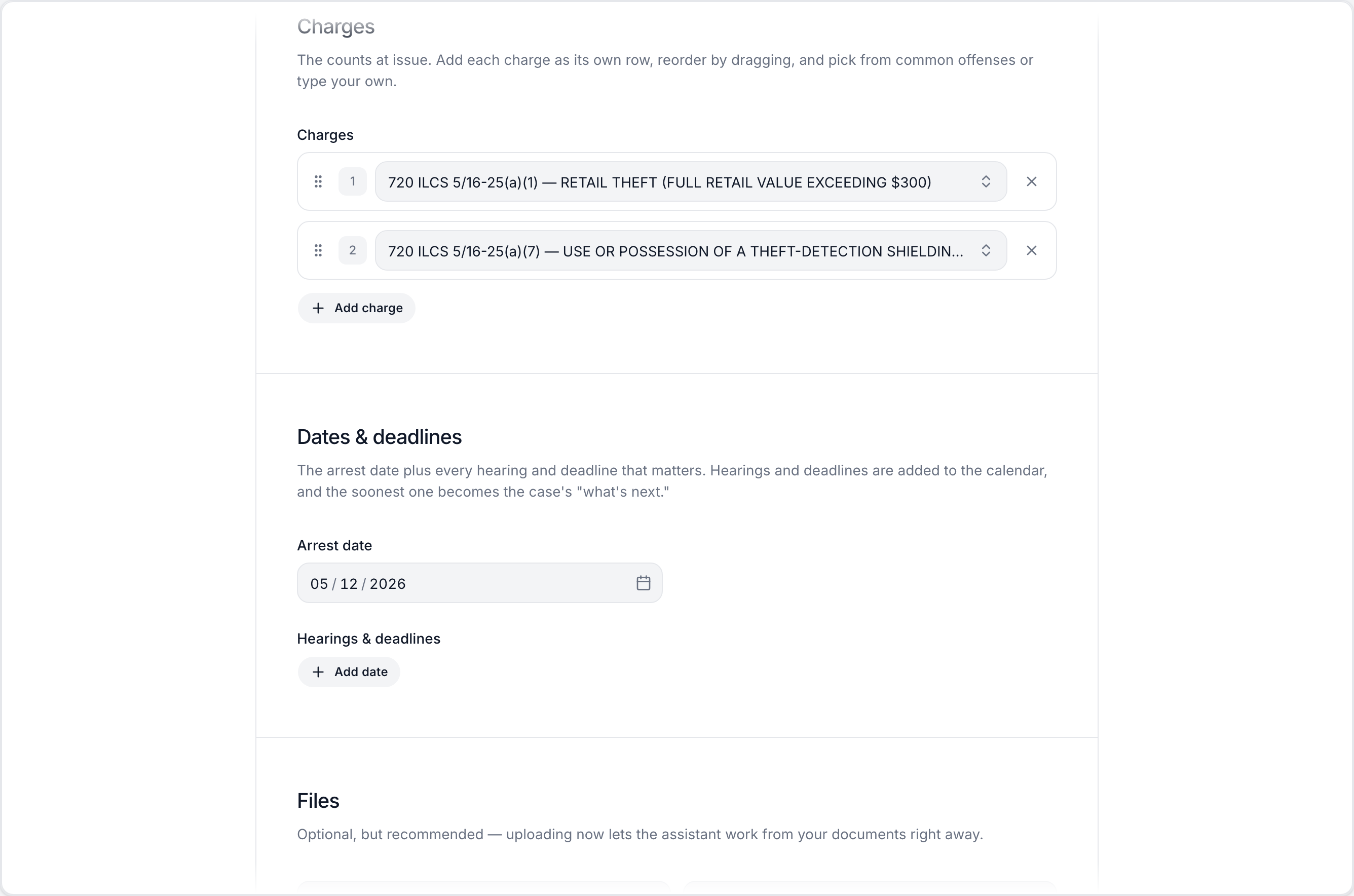
Charges arrive as counts, not a blob of text
Charges are extracted into structured rows — statute and plain-English offense, one count each, in order. Reorder them by dragging, pick from common offenses, or type your own. The case type is set from the most serious charge the report supports.
Hearing dates found in the report land in the same form, next to the arrest date, ready to become deadlines.
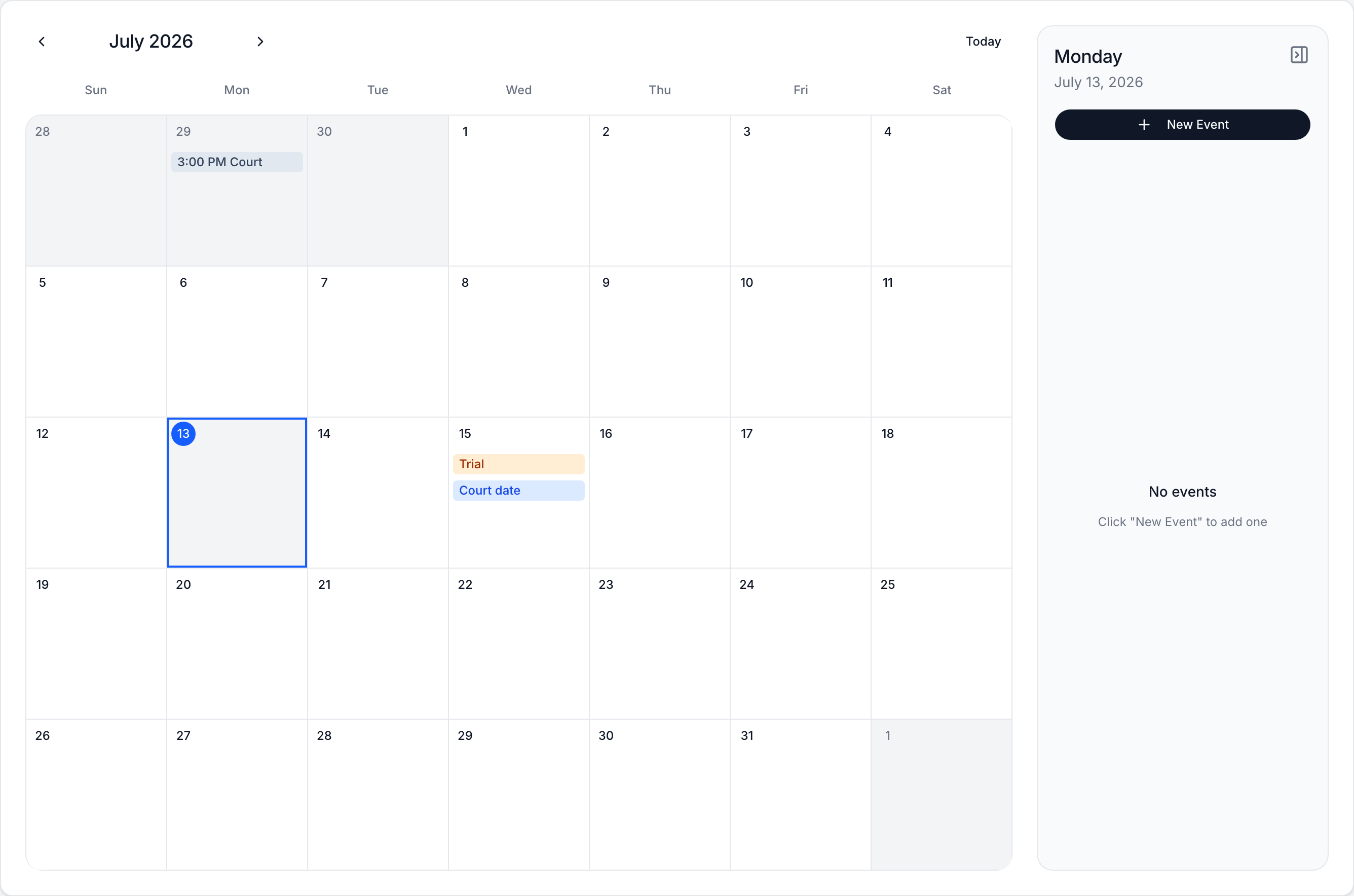
Dates become deadlines, automatically
Every hearing or deadline on the intake form is created as a real calendar event on the new case — not a note in a text field. The soonest one becomes the case's "what's next," surfaced on the case itself so the arraignment can't sneak up on anyone.
Court dates stay live from there: if the assistant later updates the next court date (with your approval), the calendar event moves with it — and mirrors to your Outlook calendar.
Built to never guess
An intake tool is only useful if you can trust what it filled in. The extractor is engineered to leave blanks rather than invent answers.
Blank beats wrong
Anything the report doesn't state stays empty for you to fill — the extractor is forbidden from inferring a value it didn't read.
The right name
It won't mistake an officer, victim, or witness for the defendant — name extraction follows strict rules about whose name goes where.
Counties ground-truthed
The extracted county is checked against the real county list for the state; a stray city name falls back to your firm's default instead of landing wrong.
Your defaults fill the gaps
Firm-level defaults for court, judge, prosecutor, and county fill any blanks — shown as suggestions, snapshotted only when you create the case.
The report becomes evidence
The scanned document itself is staged as the case's first file, so the source of every field is one click away.