Draft motions and emails from your case files.
Generate a motion to dismiss, a brief, or the email that delivers it — built from your entire record, with real case law woven in and ready to refine.
“Draft a motion to suppress, citing every Fourth Amendment case in my file.”
Built from your record
Drafts start from your actual facts and exhibits — not a blank page.
Documents and email
Motions, briefs, discovery requests — plus emails sent from your own Outlook, filings attached.
Cited as it writes
Authorities are pulled in and linked to the source opinion.
Ask for the motion. Get the whole motion.
Tell the assistant what you need — a motion to suppress, a discovery request, a memo — and it researches your files and the case law first, then writes the complete document: caption, numbered sections, argument, certificate of service. The draft opens beside the chat, already saved to the case.
From there the editor and the assistant share the page. Ask for a stronger reliability section or a shorter introduction and it revises the draft in place — every AI edit lands as a new version you can compare or roll back.
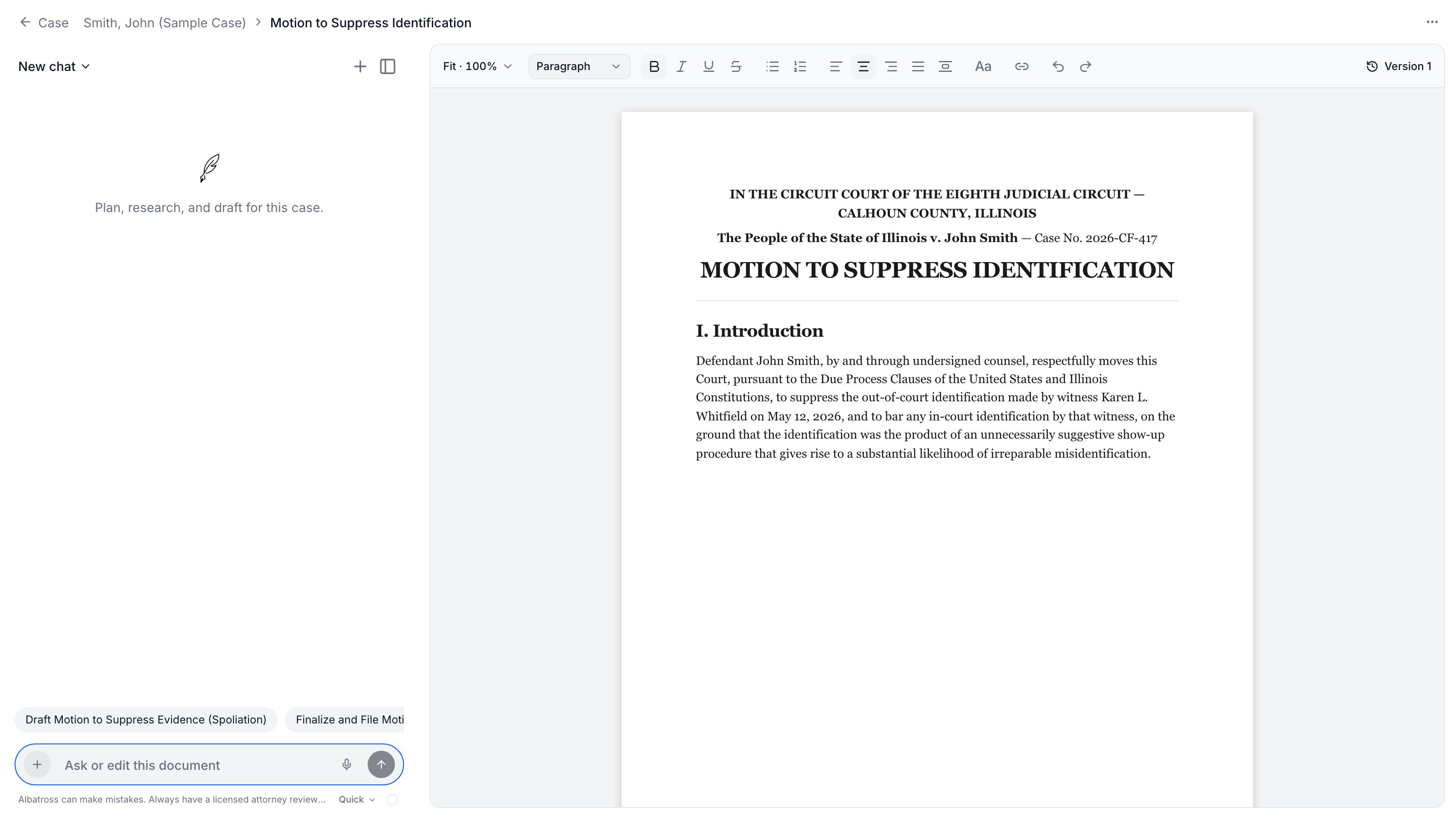
A real legal editor, not a text box
Drafts open in a true paginated editor — the pages you see on screen are the pages that print. It handles the formatting a filing actually requires, without a trip through another word processor.
True pagination
Documents are laid out as real pages, so page breaks on screen match print and PDF exactly. Force a break with one keystroke.
Full formatting toolbar
Headings, lists, alignment, line spacing, fonts and sizes, colors and highlights, links — plus zoom from fit-to-width to 400%.
Court rules built in
Formatting profiles for all fifty states set page size, margins, font, and spacing to the local rule — and an amber dot warns, citing the rule, if you drift below it. It never blocks you.
Headers, footers, page setup
Edit running headers and footers in place — page numbers, different first page, odd/even — and switch between Letter, Legal, A4, or custom geometry.
Citations that point home
References to case files carry a live link — hover to preview the source document behind the sentence.
Versions and autosave
Every edit autosaves and syncs. Checkpoint a version before a big revision, preview any past version, and revert deliberately.
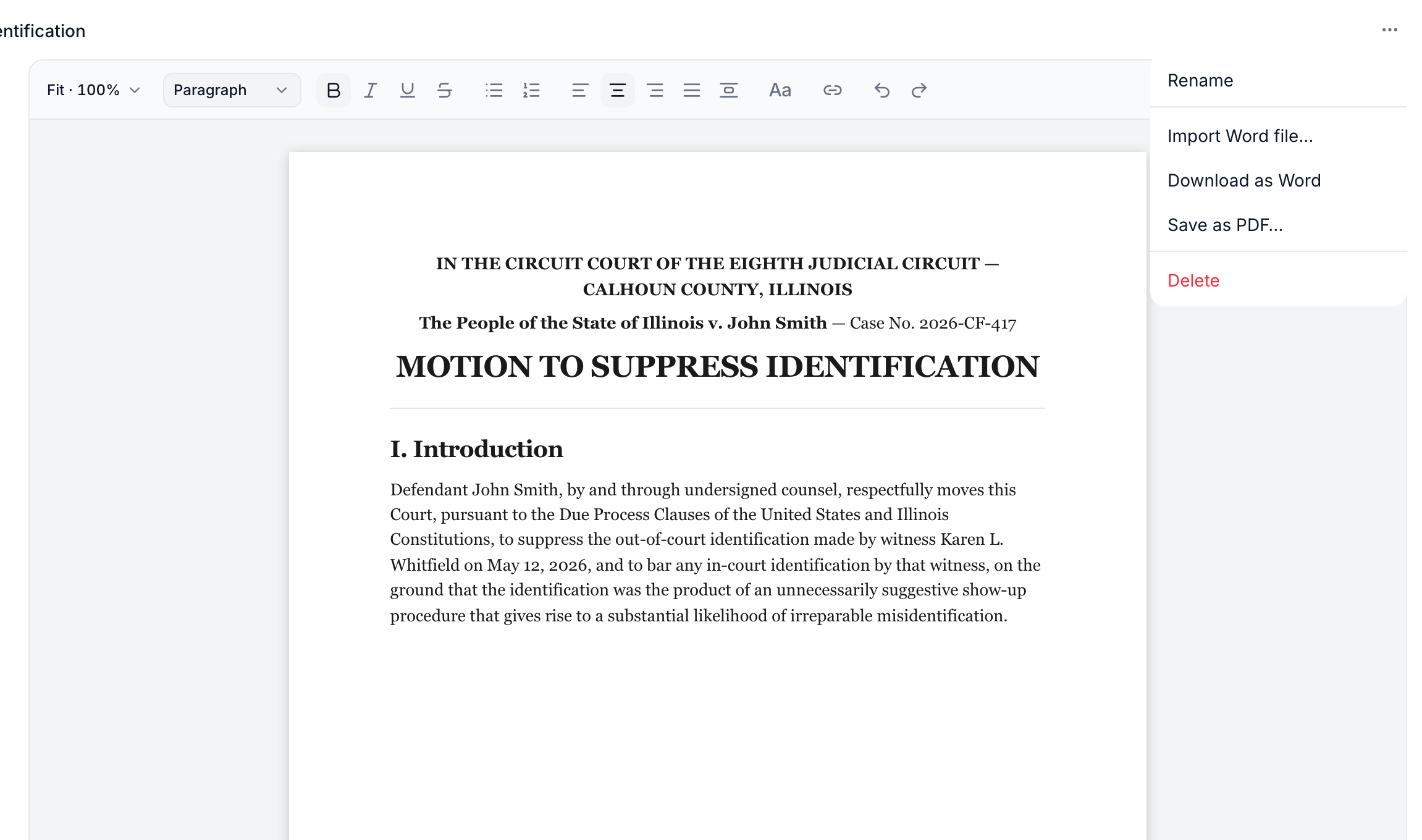
Word and PDF, both directions
Courts want PDF; opposing counsel wants Word; your old drafts live in .docx. The document menu covers all of it: import a Word file straight into the editor, download the draft as Word, or save a PDF with real selectable text whose pages match the editor exactly.
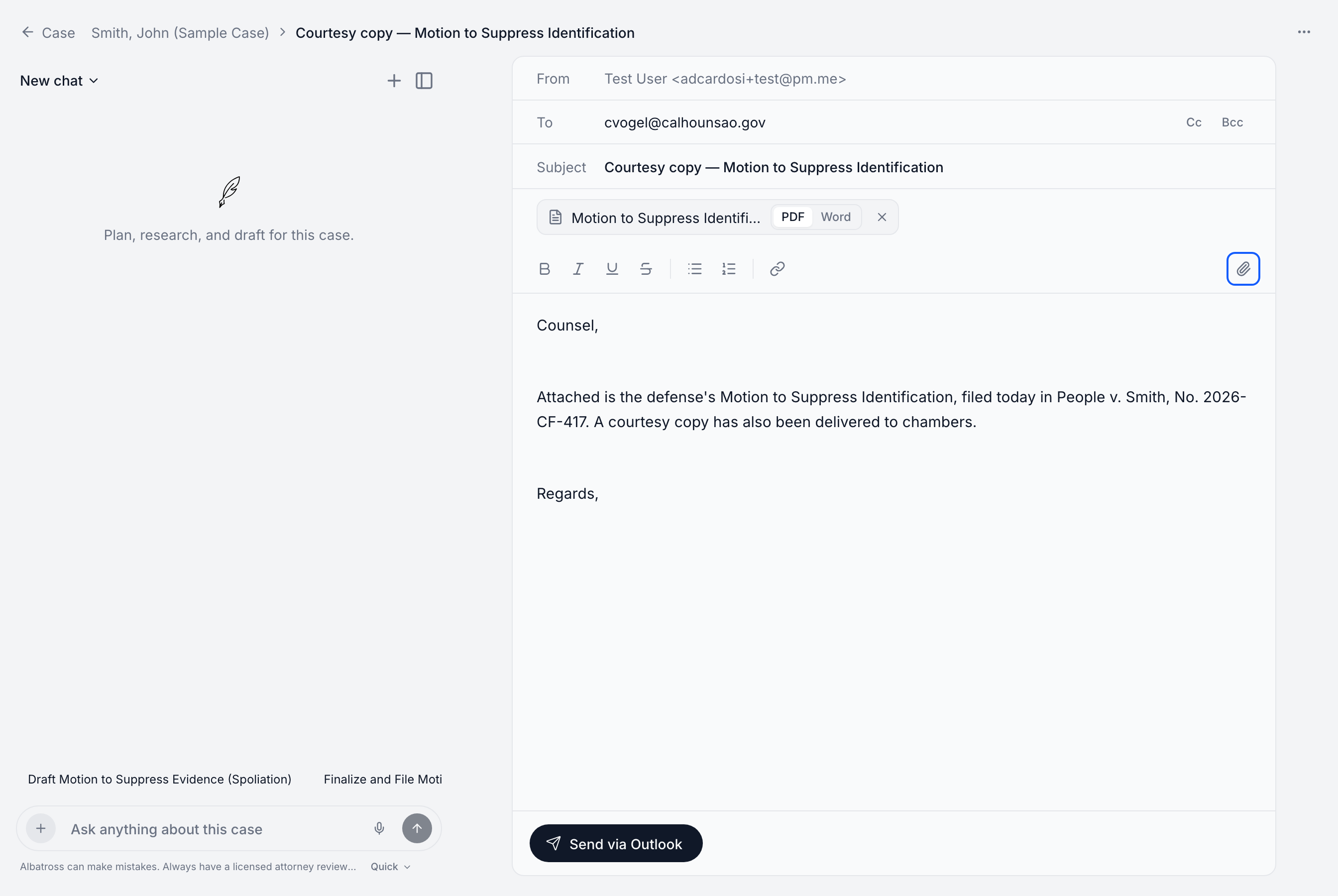
Send it without leaving the case
Every case has an email surface. Compose with To, Cc, and Bcc, attach the motion you just drafted — rendered to PDF or Word with one toggle — or any case file, and send through your own Microsoft 365 mailbox. The message goes out as you, from your address, and lands in your Sent Items.
Your firm's signature is appended automatically at send. The assistant drafts emails too: ask for a courtesy-copy note to the prosecutor and it arrives with the recipient, subject, and attachment already in place — you review and hit send.
Checked before it reaches the courtroom
Every time a document or email is saved, Albatross audits its legal citations automatically — no button to remember.
Every citation resolved
Each reporter citation is checked against the Free Law Project's database of real opinions. A case that doesn't exist can't survive a save.
Every quote verified
Passages attributed to a case are matched verbatim against the opinion's full text — altered or invented quotes are flagged, and the assistant must fix them before finishing.
Dissents flagged
A quote that's real but comes from a dissent or concurrence is called out, so authority is never stronger on paper than it is in the reporter.