Question hours of video in seconds.
Upload interrogation or bodycam footage and ask what happened. Albatross reads the footage and takes you straight to the moment that matters.
“When does the suspect ask for a lawyer in this interview?”
Ask the footage
Pose a question and get the exact timestamp, not a three-hour scrub.
Every format
Video, audio, images, and documents — all searchable together.
Straight to the moment
Timestamps in answers are play buttons — click one and the clip cues to that second.
One evidence room for the whole production
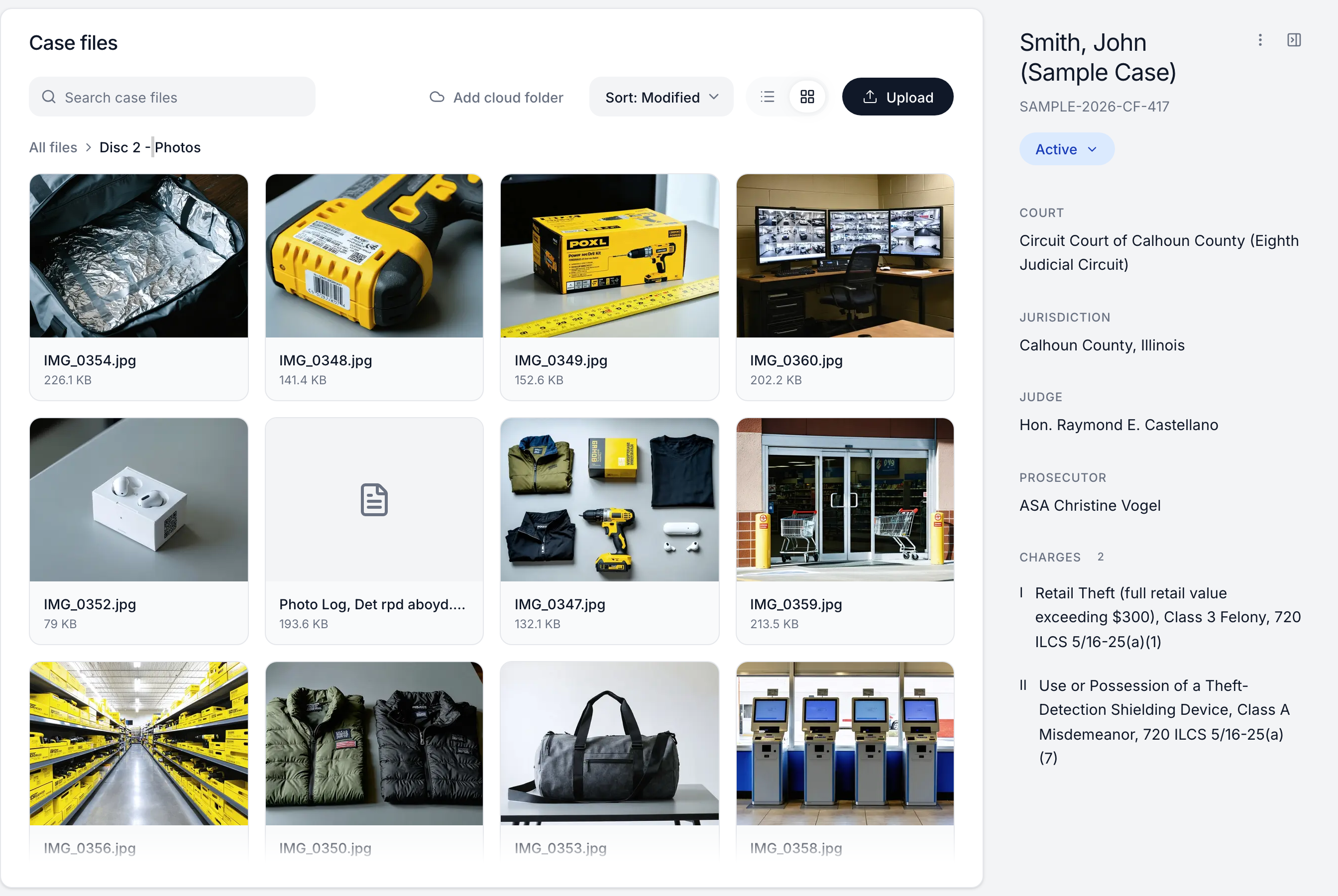
Drag in the entire discovery folder — nested folders and all — and it lands organized: police reports, CCTV exports, evidence photos, statements, each in its place. Browse as a tree or a thumbnail grid, search by name, and watch upload progress roll up folder by folder.
Photos render as thumbnails, so the duffel-bag interior shot and the self-checkout still are recognizable at a glance instead of a wall of filenames.
One search across every medium
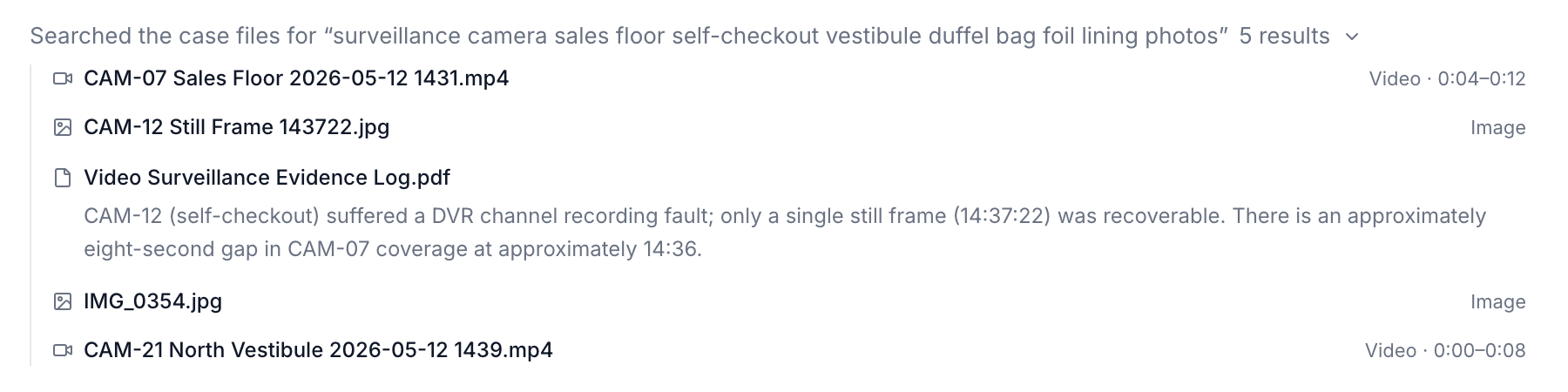
Evidence isn't all text, so the search isn't either. One query returns the surveillance clip (with the relevant seconds marked), the recovered still frame, the photo of the bag, and the paragraph of the evidence log that explains the gap — ranked together, whatever the file type.
It works because every file is embedded into the same searchable space: a text query can find a photo by what it depicts and a clip by what happens in it.
Ask the footage, jump to the second
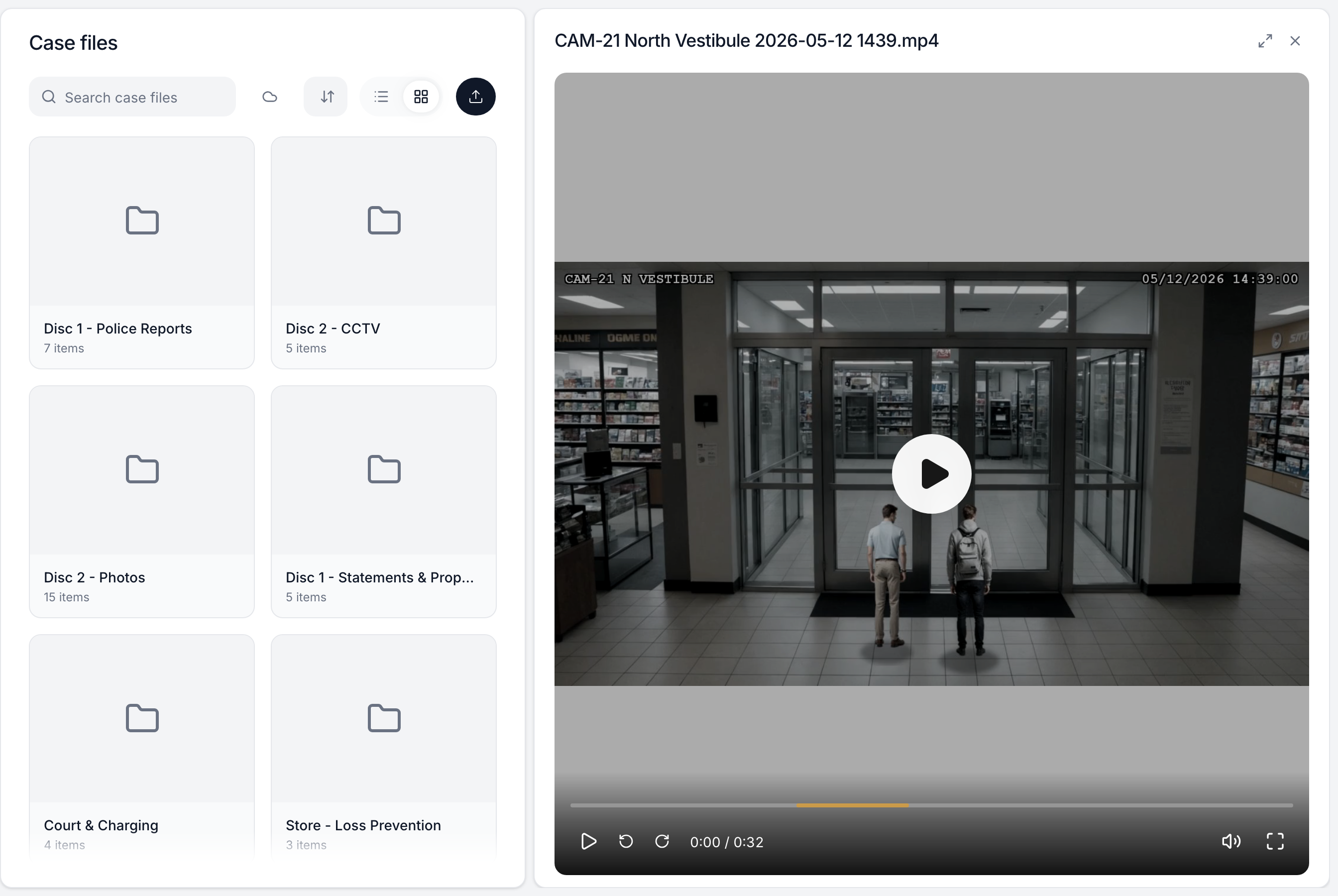
The assistant doesn't just search video metadata — it reviews the actual frames and audio to answer a question about a clip, whole or from a specific moment. Answers come back timestamped, and every timestamp is a play button: click 2:38 and the built-in player cues to 2:38.
The player is made for evidence work — frame the moment with 10-second skips, scrub with the keyboard, and go fullscreen for the jury-room replay.
Indexed automatically, whatever the shape
Files become searchable on their own — indexing runs in the background, shows its status on every file, and retries transient failures without being asked.
Documents and spreadsheets
PDF, Word, Excel, and plain text are extracted and chunked for search — scanned and photographed pages are OCR'd automatically.
Photos, audio, and video
Media is embedded with a video-native model so it's findable by content, and long recordings are segmented into timestamped clips.
Even bad video
Low-resolution exports below the model's minimum are upscaled automatically before indexing — CCTV pulls included.
Private by architecture
Media models run inside our AWS environment with zero-data-retention; your evidence is never sent to a third-party media API.
Meets your files where they live
If the firm's discovery already sits in OneDrive, SharePoint, Google Drive, or Dropbox, mount a folder into the case instead of re-uploading it.
Per-case folder mounts
Point a cloud folder at a case and its contents sync in — organized, indexed, and searchable like any upload.
Import-only or two-way
Choose read-only import, or two-way sync where changes made in Albatross write back to the source.
Continuously synced
Sync is incremental and webhook-driven — new files in the shared folder show up in the case without anyone re-dragging them.